Built for OB/GYN groups

Fair OB/GYN Call, Made Simple

OnCall AI auto-builds a provably fair call schedule, never leaves a day uncovered, and puts who's on call on every phone — and your Apple Watch. Built by a practicing OB/GYN.

Set up this week — no IT project.   30-day free trial, no credit card.

Still running call on a spreadsheet and a group text?

OB/GYN call is the hardest to keep fair — nights, weekends, deliveries, OR blocks — and the easiest to get wrong. Here's what breaks, and what OnCall AI does instead.

The problem

The same partners always get slammed

Without a trusted count, someone always feels they carry more nights and weekends — and in a small group, that's how you lose a partner.

A real fairness engine evens each provider's year, spreads weekends, and avoids clustering.
The problem

A day slips through uncovered

Two people think they're off, or a hand-off gets missed. On a spreadsheet nothing stops it — and at 2am that's a patient-safety problem.

Auto-scheduling can't leave a day uncovered, with a Friday weekend sign-out reminder built in.
The problem

“Who's on call right now?”

Nurses and staff ping around to find the right provider, and coordination ends up scattered across texts and calls.

Live who's-on-call on phone and wrist — message by text or OnCall AI's built-in messaging, keeping PHI out either way.

Generic schedulers show you the schedule you built by hand.
OnCall AI builds the fair one for you — and puts it on your wrist.

See it for your specialty

OnCall AI works for any on-call group. Pick yours for messaging and features tuned to how you run call.

All specialties OB/GYN Surgical soon Hospital Medicine soon

Everything an OB/GYN Group Needs

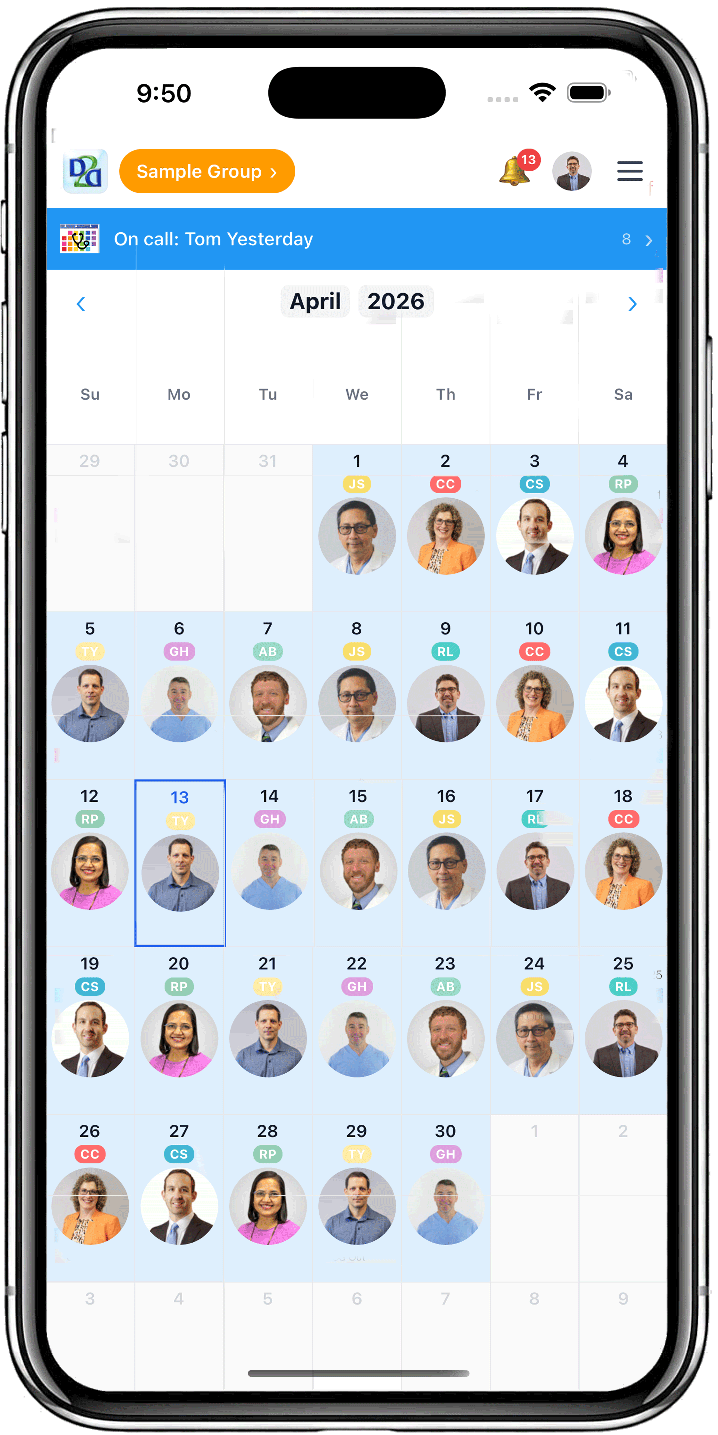
Fair auto-scheduling, weekend planning, and one-glance coverage — built around how OB/GYN call actually runs

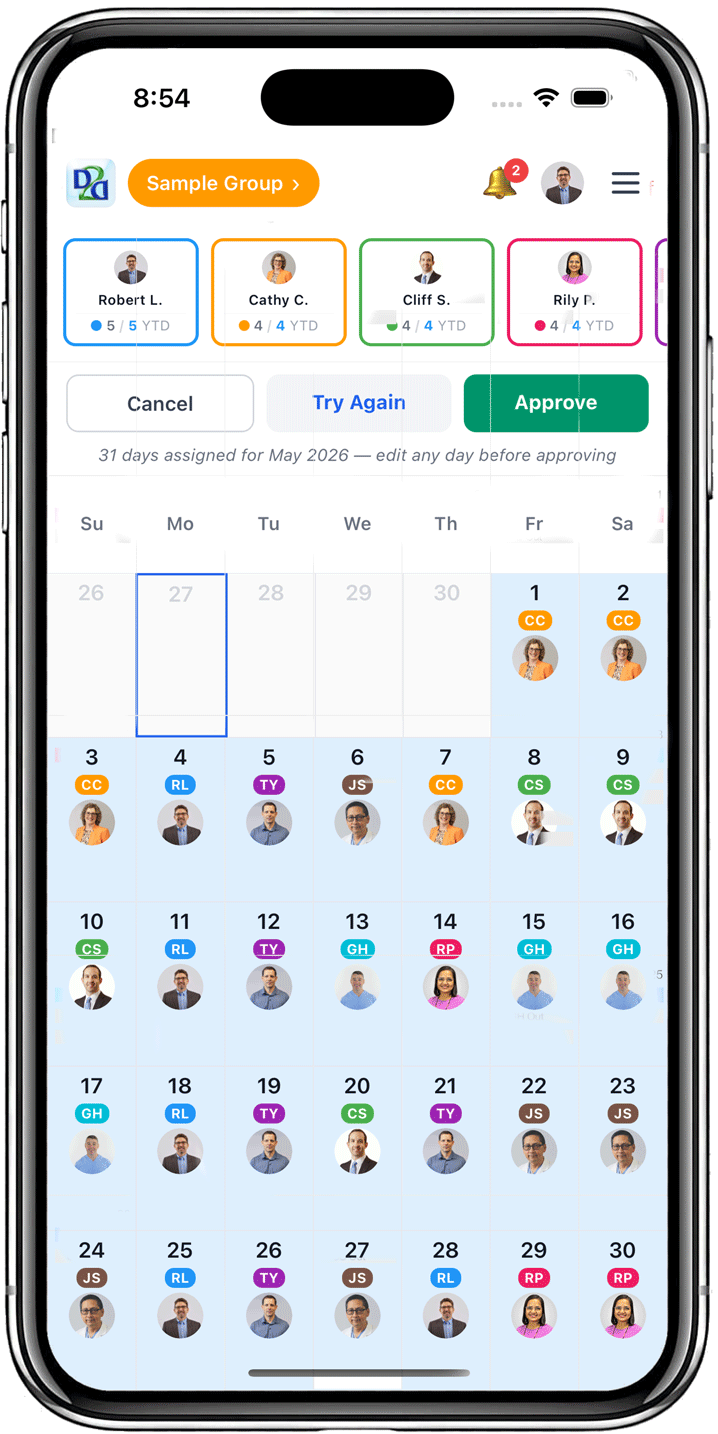
Auto-Scheduling

AI-powered fair scheduling in seconds, eliminating manual work and human error

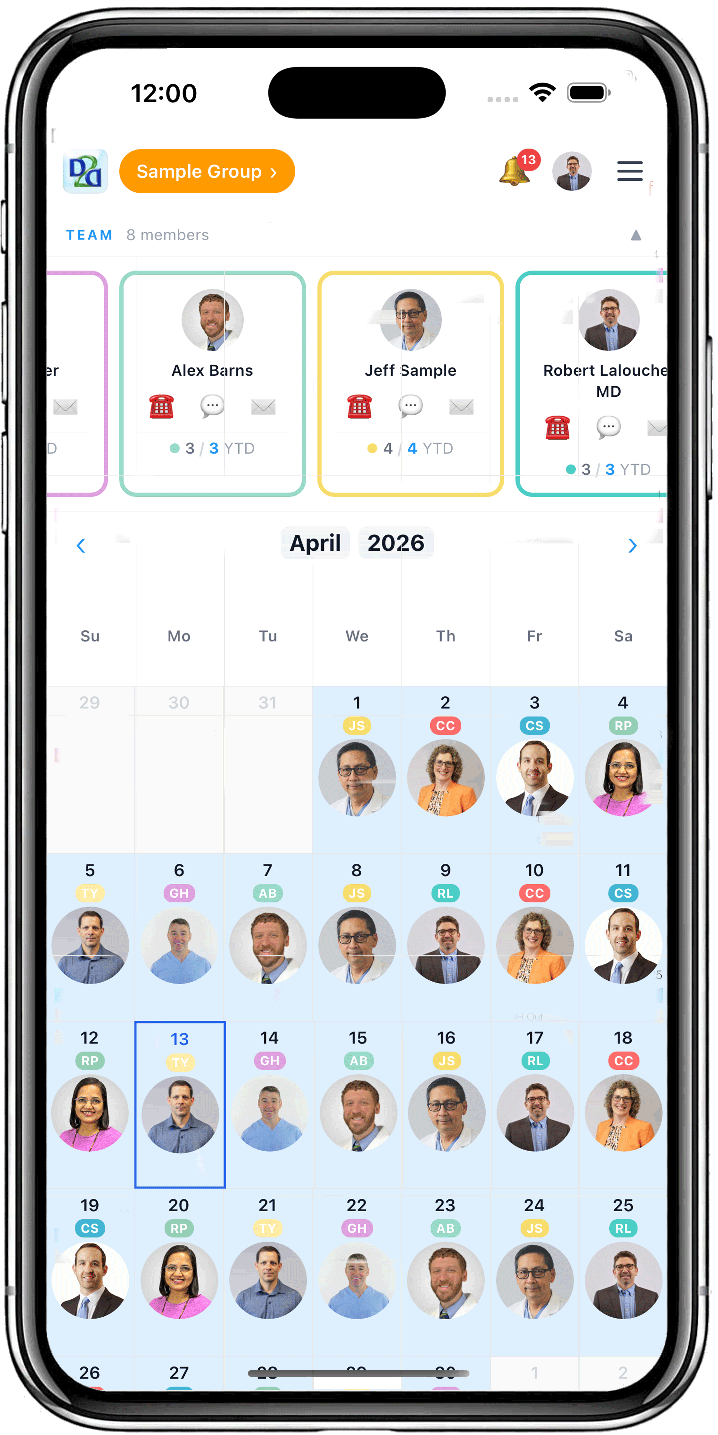
Fairness Tracking

Ensure equitable shift distribution with real-time fairness analytics

Schedule Flexibility

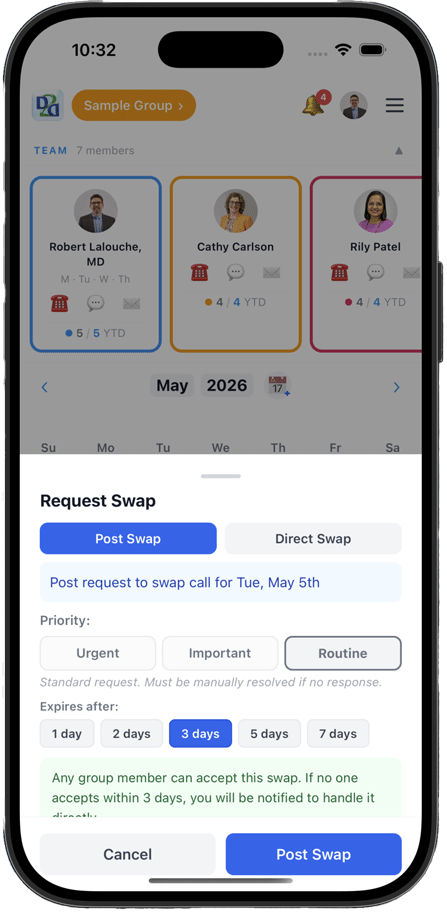
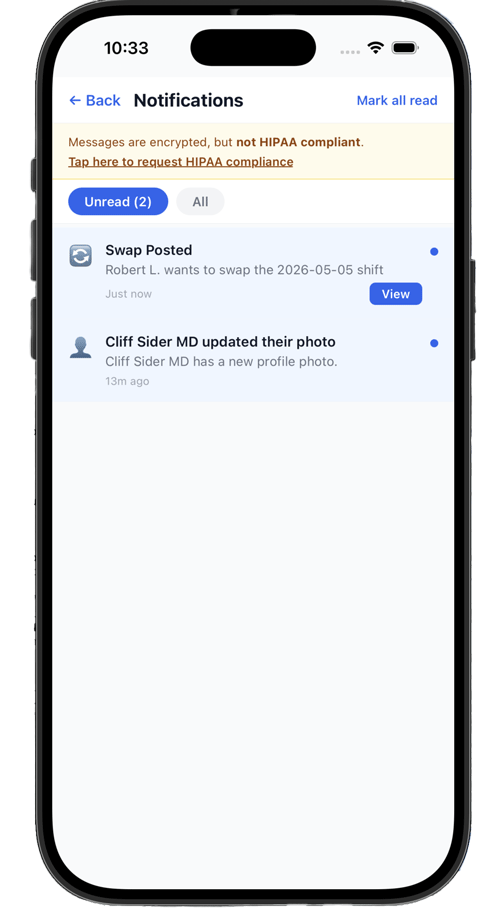
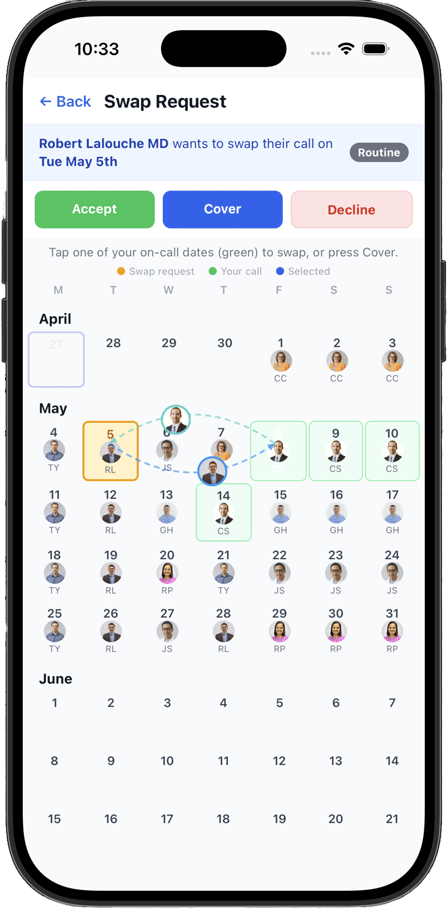
Simple, automated shift swaps saving you many partner phone calls. Set out-of-office any time with ease.

Team Communication

Real-time updates and notifications keep everyone informed

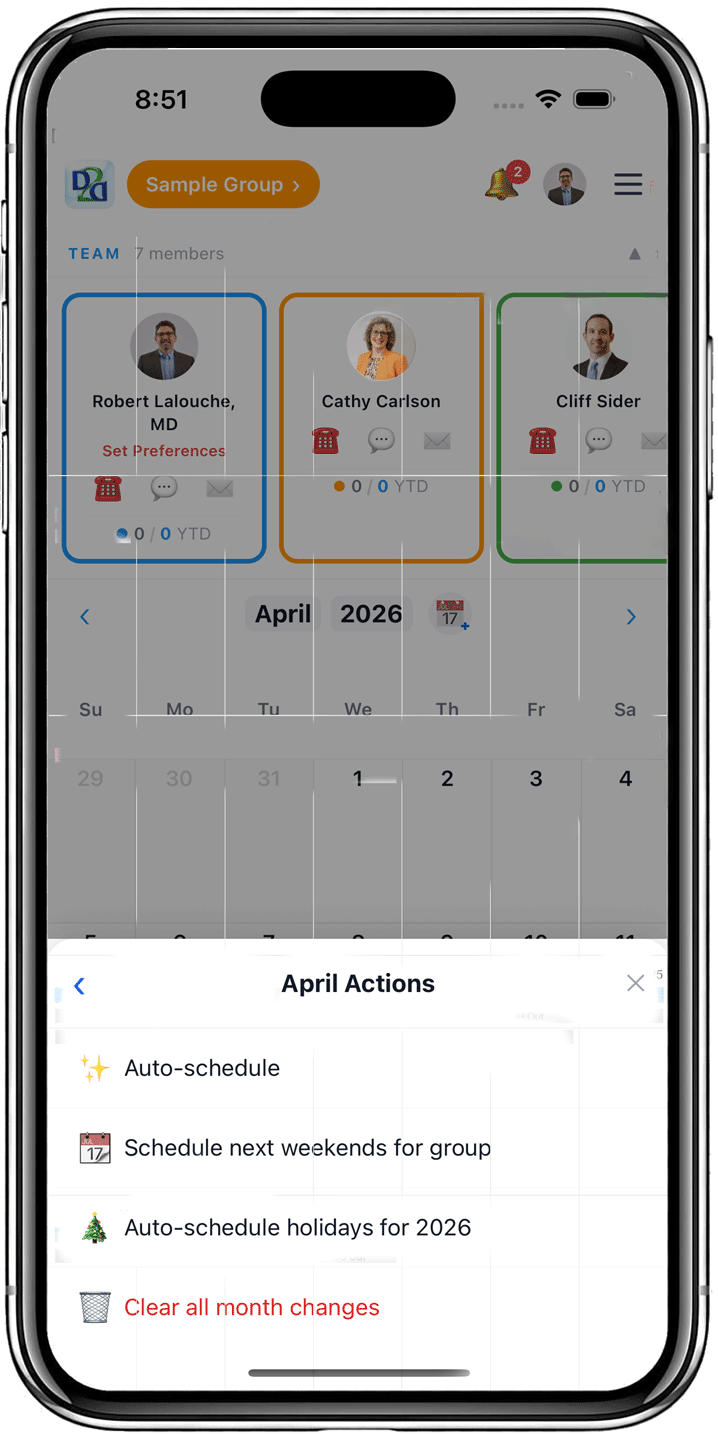
Schedule-Ahead Weekends

Automatically book upcoming weekends for each partner without fixing the entire schedule to help provide vacation flexibility

Holiday Management

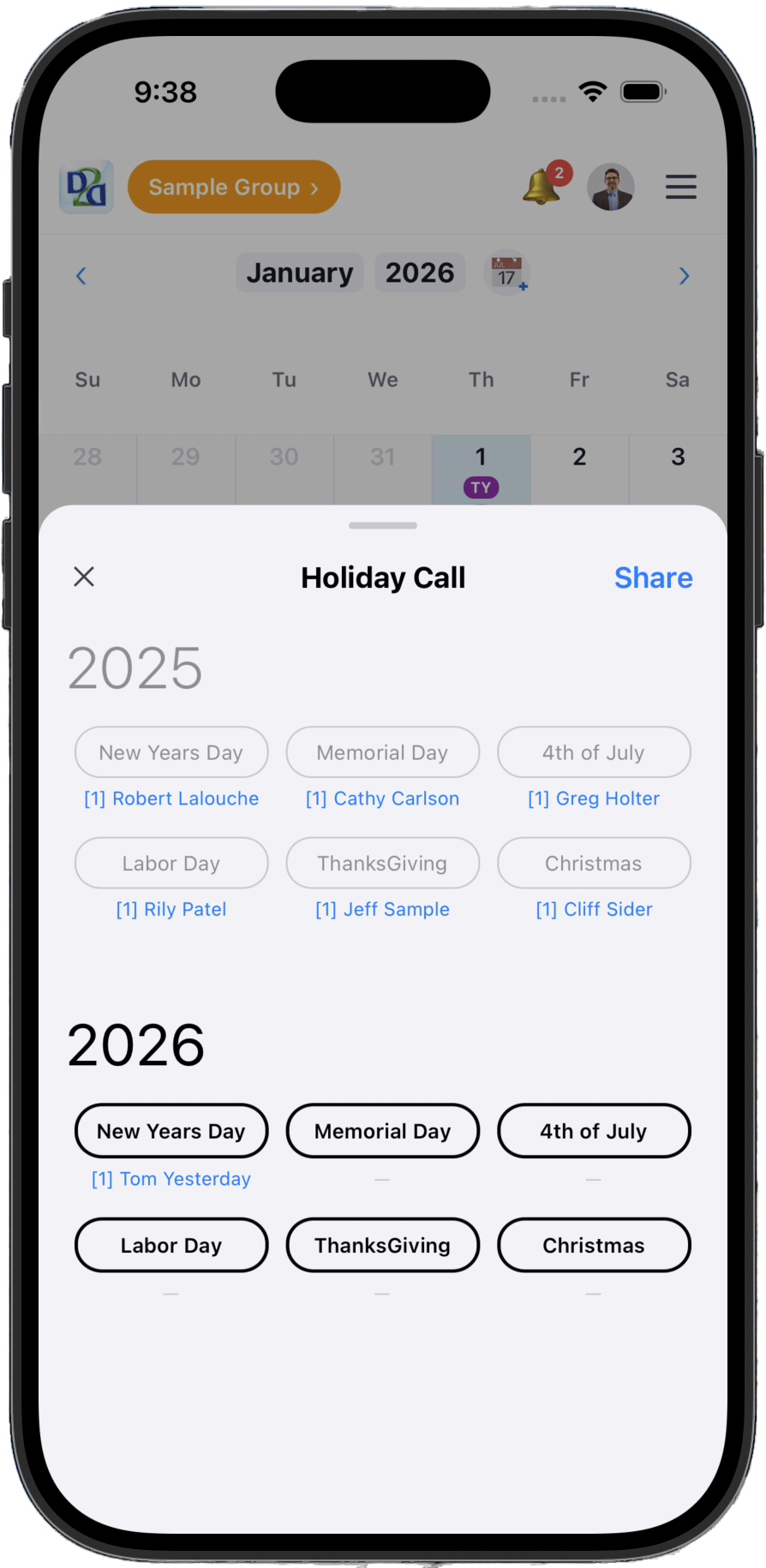
Track and balance holiday on-call assignments fairly across your group

Mobile & Web

Full-featured apps for desktop and mobile access, available anytime, anywhere

Save Time, Better Healthcare

I'm a practicing ObGyn Physician and I guarantee this program will save you time and headaches every day!

Multiple Schedules

View multiple groups and your own personal calendars all at the same time

On Your Apple Watch

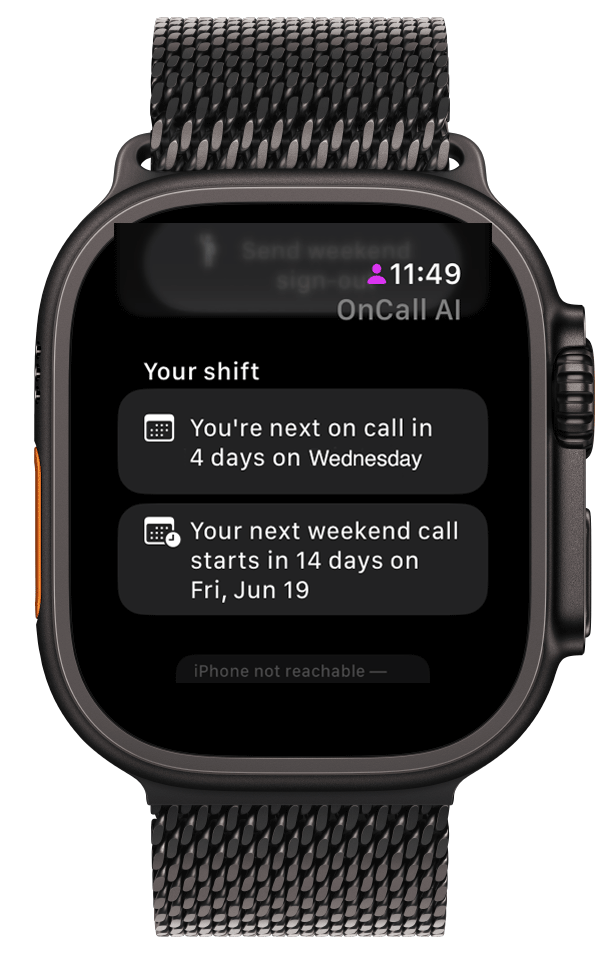
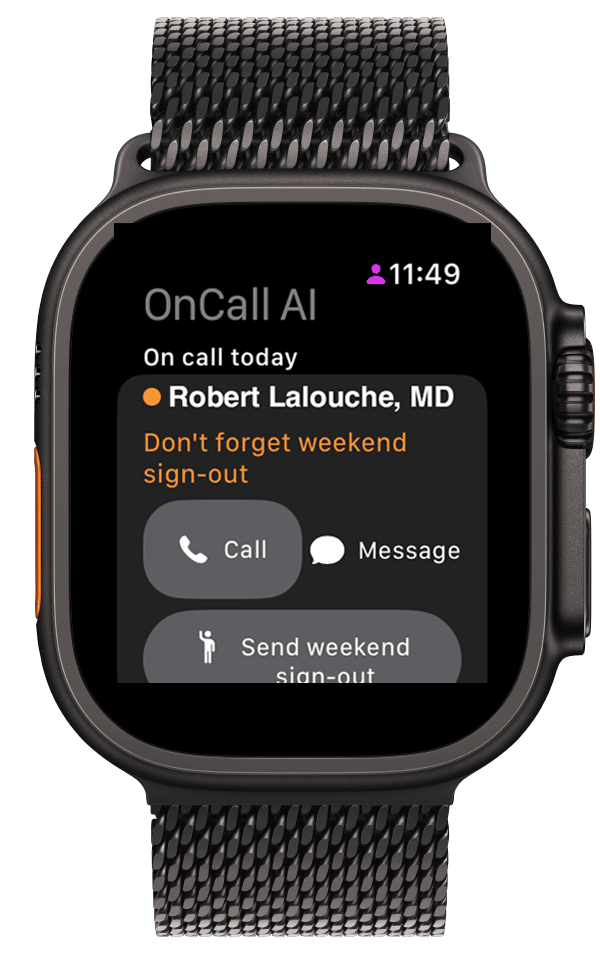
See who's on call today and call or message in one tap, right from your wrist. Android smartwatch coming soon.

Quick Messages

One-tap messages tailored to your specialty — plus your own custom presets, shared with the whole group

Weekend Sign-Out Reminder

An automatic Friday nudge so the on-call provider never forgets the weekend hand-off

Guided Tutorials

Interactive, tap-along walkthroughs for marking OUT and swapping call — perfect for new members

Roles & Observers

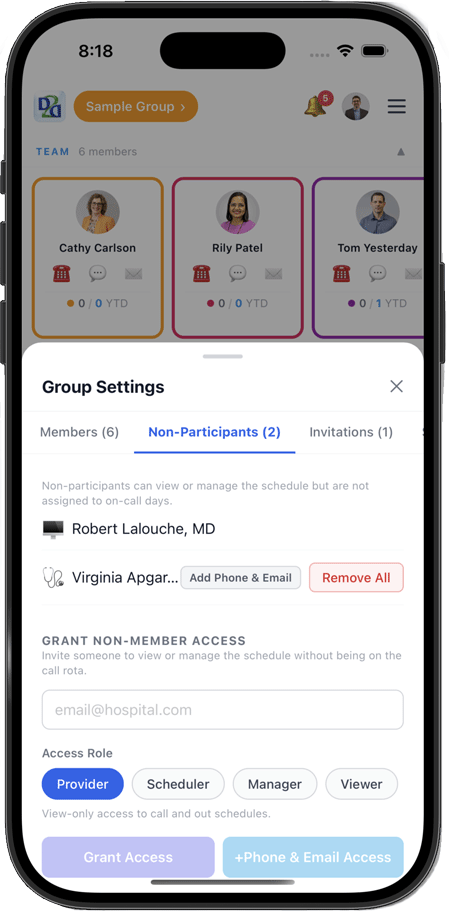
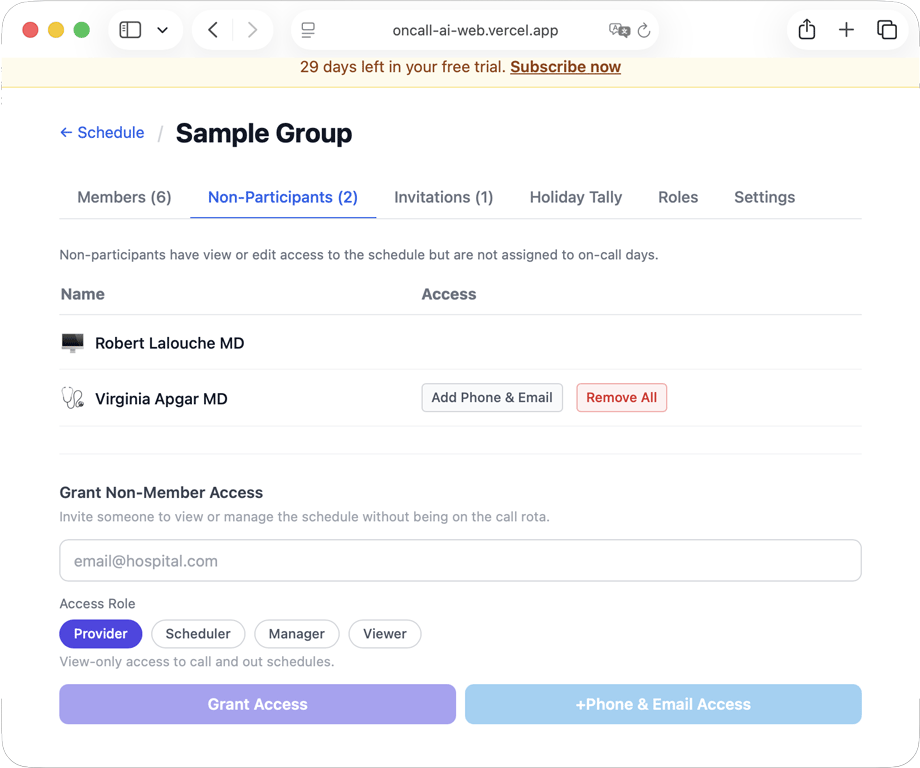
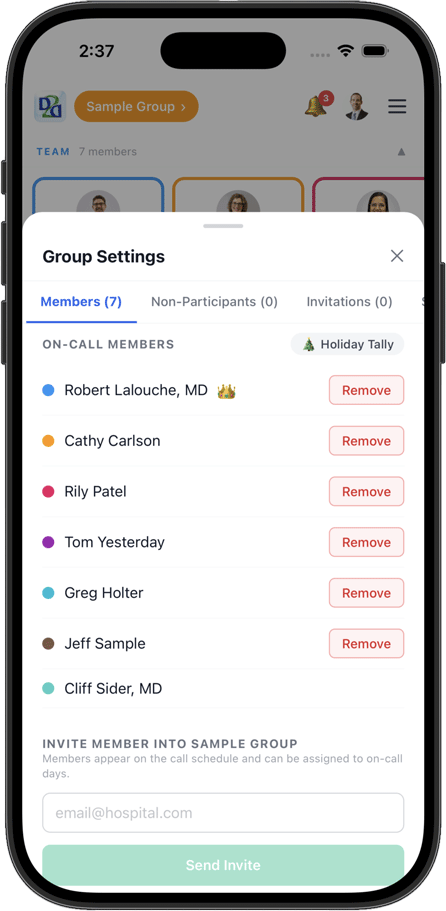
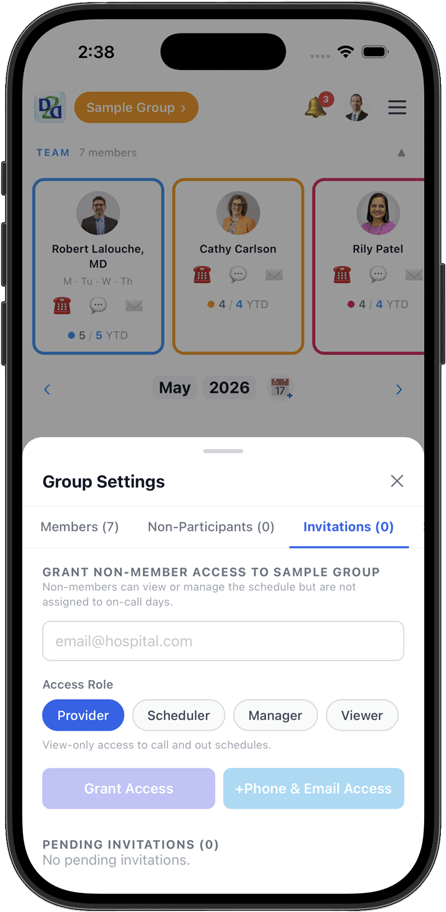
Add family, viewers, and staff without crowding the schedule — tap any avatar to see their photo and role

Pregnancy & Women's Health

Pair OnCall AI with our patient app Dr2Women — 200+ doctor-built short videos on pregnancy, GYN, and women's health. Generate a 6-character Practice OnCall Code so patients can see who's on call after-hours, no phone tag. Learn more →

“I usually schedule weekends out an extra month or two, but give time for partners to add vacations before scheduling the full call schedule too far out — this helps avoid major re-work issues later.”

— Robert Lalouche, MD

Weekend schedule-ahead is automatically built in to OnCallAI if you want it.

Powerful Features

Everything physicians and groups need to schedule efficiently

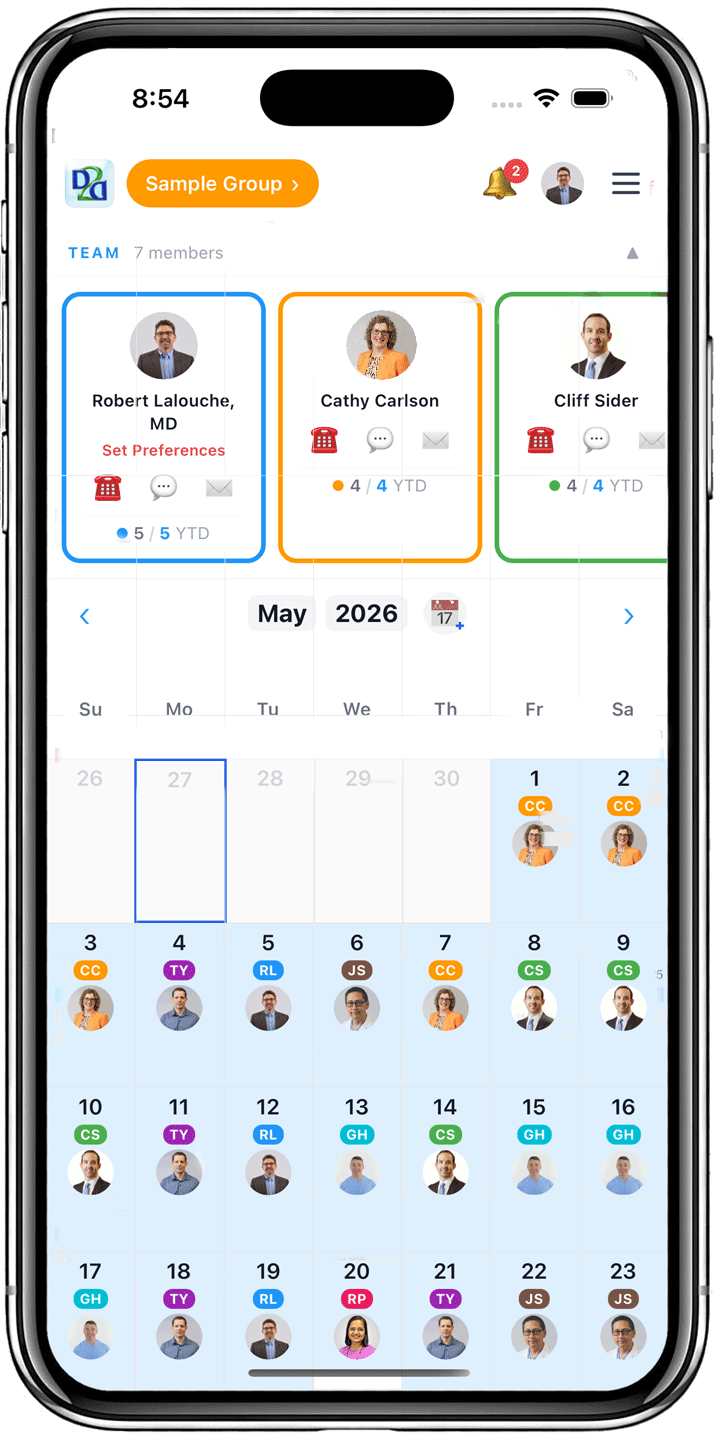
Get a complete view of your on-call schedule. See who's on-call today, manage assignments, and collaborate with your group in real-time. OnCallAI makes scheduling transparent and fair.

OnCallAI Web Main OnCallAI Web Cards
OnCallAI Web AutoSet1 OnCallAI Web AutoSet2 OnCallAI Web AutoSet3
OnCallAI Web Holiday1 OnCallAI Web Holiday2
OnCallAI Web Swap1 OnCallAI Web Swap2 OnCallAI Web Swap3
OnCallAI Web mobileWeb1 OnCallAI Web mobileWeb2
OnCallAI Web Team1 OnCallAI Web Team2 OnCallAI Web Team3

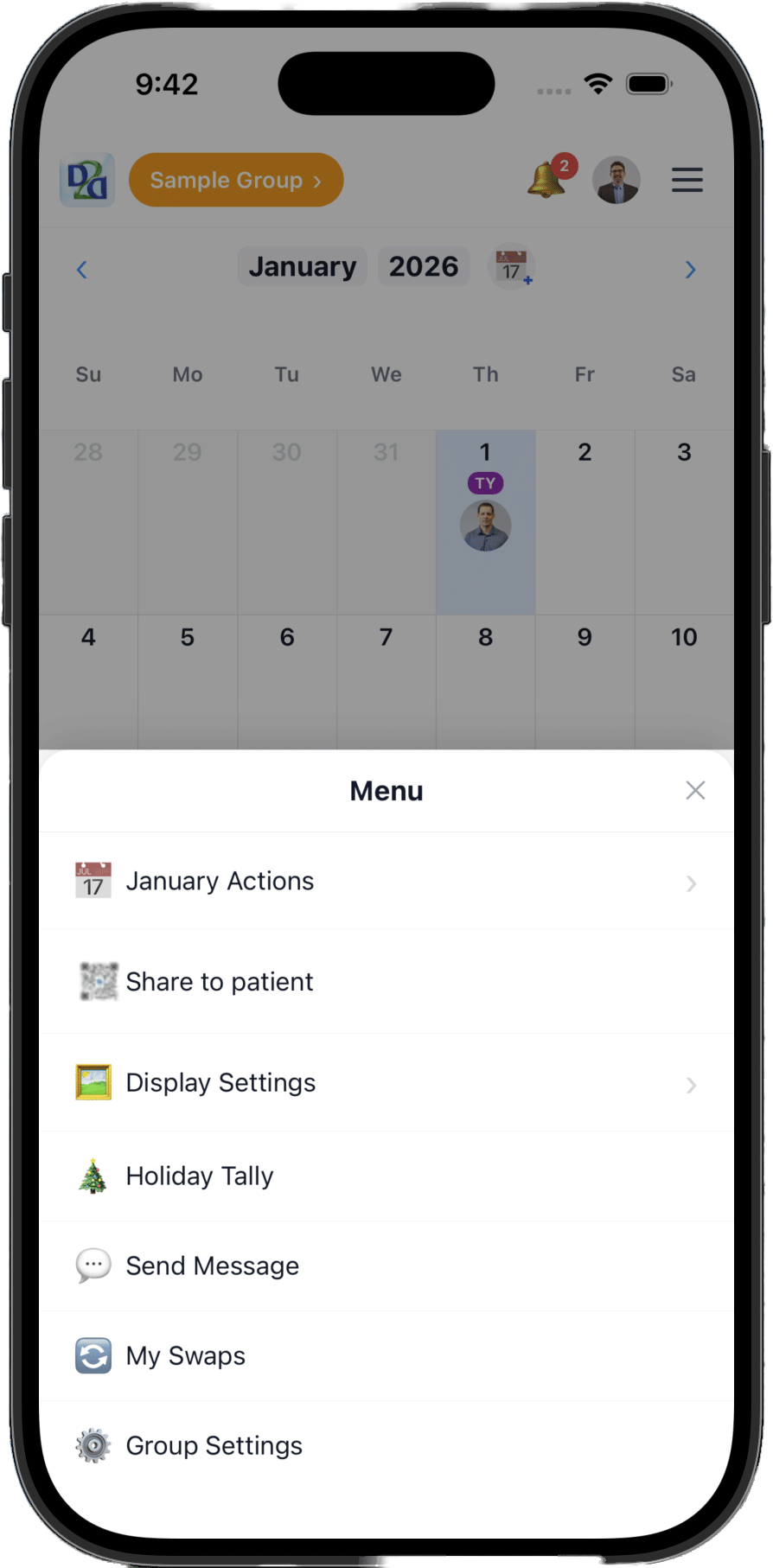
Reach the right person fast. Send one-tap quick messages tailored to your specialty, add your group's own custom presets, and message on-call providers, nurses, staff, family, or viewers — by app, text, or email. A Friday reminder makes sure the weekend sign-out always goes out, and you can send to one person or everyone at once.

OnCall AI comes to your wrist. See who's on call today and Call or Message them in one tap, fire off the Friday weekend sign-out, acknowledge alerts, and accept or decline call swaps — all from your Apple Watch. A watch-face complication keeps today's on-call and your next shift one glance away. Android smartwatch support is coming soon.

OnCall AI Apple Watch — who's on call and your next shift OnCall AI Apple Watch — call or message in one tap

Let your patients see who's on call

OnCall AI now connects to Dr2Women, our patient app for pregnancy & women's health. Free for subscribers and trial users on both sides.

FOR PROVIDERS

Generate a 6-character Practice OnCall Code

Group Settings → Patient access → tap Generate. Print the QR for your waiting room or hand the code out at appointments.

Patients see only call name and date — never their info, never your phone numbers.

FOR PATIENTS

Type the code once in Dr2Women

About → Link to my OB practice. After that the home screen shows a one-tap shortcut to who's on call.

If your practice signs up because of you, you get 30 free days on Dr2Women.

Learn more →

The practice has no access to any of your information.

Built by an OB/GYN, for OB/GYN groups

OnCall AI wasn't built in a boardroom. It was built by a practicing OB/GYN who was tired of running call on spreadsheets and settling fairness disputes by memory. Every feature — the fairness engine, schedule-ahead weekends, the Friday sign-out nudge, the Dr2Women patient bridge — exists because it solves a real problem in a real call group.

— Robert Lalouche, MD, MS · Founder & practicing OB/GYN

Simple, Affordable Pricing

Start with 30 days free. No credit card required.

Provider Member

For individual physicians

$1.99
per month
  • View & manage your schedule
  • Swap shifts with partners
  • Push notifications
  • AI auto-scheduling access
  • Mobile & web apps
Start Free Trial

Schedule Editor

For coordinators

$0.99
per month
  • View all group schedules
  • Edit call assignments
  • Manage out-of-office time
  • Group notifications
  • Web app access
Start Free Trial

Member Manager

For group leads

$200
per year (billed annually)
  • Everything in Schedule Editor
  • Invite & remove members
  • Manage group roles
  • Full access control
  • Priority support
Start Free Trial

Viewer

For nursing & admin staff

$0.99
per year
  • View-only schedule access
  • See who's on-call today
  • Schedule notifications
  • Web app access
  • QR code public schedule
Start Free Trial

Frequently Asked Questions

Why is OnCall AI built for OB/GYN groups?

+
OB/GYN call is unusually fairness-sensitive — unpredictable deliveries, heavy nights and weekends, and OR blocks make “who got slammed this month” a real, recurring grievance. That's exactly what OnCall AI's fairness engine is built to solve. It's also built by a practicing OB/GYN, so features like schedule-ahead weekends, the Friday sign-out reminder, and the Dr2Women patient bridge map directly to how OB/GYN groups actually work. It works well for other specialties too — OB/GYN is simply where it started.

How is this different from a spreadsheet or a generic scheduler?

+
A spreadsheet shows last month's call — it can't make next month fair, and it can't tell your nurse who to call at 2am. Generic and older scheduling tools mostly display a schedule you still build and balance by hand. OnCall AI does the hard part for you: it builds a schedule that's provably fair, can't leave a day uncovered, handles swaps and out-of-office automatically, and puts live “who's on call” on every phone and Apple Watch — with no implementation project to get started.

What is included in the 30-day free trial?

+
All OnCall AI features are available during your free trial, including AI auto-scheduling, mobile and web apps, shift swaps, and team management. No credit card is required to start.

Can I switch plans after signing up?

+
Yes! You can upgrade or downgrade your plan at any time from your account settings. Changes take effect at the start of your next billing cycle.

Is there a contract or long-term commitment?

+
No contracts or hidden fees. You can cancel your subscription anytime. Monthly plans renew each month, and annual plans automatically renew unless cancelled.

How does AI auto-scheduling work?

+
Our AI algorithm considers physician preferences, holiday balances, fairness metrics, and group constraints to create optimized schedules in minutes. You review and approve before it goes live.

Can I schedule weekends further ahead than weekdays?

+
Yes. OnCallAI's Schedule-Ahead Weekends feature walks forward from today and fills upcoming weekend blocks until every member has at least one booked — without committing the full weekday schedule. It's a practice our founder, Dr. Lalouche, has used for years: “I usually schedule weekends out an extra month or two, but give time for partners to add vacations before scheduling the full call schedule too far out — this helps avoid major re-work issues later.” You can trigger it from the menu, or turn on Auto-schedule subsequent weekends in group settings and OnCallAI will do it automatically whenever a month is marked complete.

Does this work on mobile devices?

+
Yes! OnCallAI has full-featured native apps for iOS and Android, as well as a responsive web app that works on any device. Physicians can manage schedules and request swaps from anywhere.

Is there an Apple Watch app?

+
Yes. The Apple Watch companion shows who's on call today and lets you Call or Message them in one tap, send the Friday weekend sign-out, acknowledge alerts, and accept or decline call swaps — right from your wrist. A watch-face complication keeps today's on-call and your next shift one glance away. An Android smartwatch version is coming soon.

Can I send messages to my group from the app?

+
Yes. Send one-tap quick messages tailored to your specialty, or create your group's own custom presets (edit, reorder, and delete them anytime). Message on-call providers, nurses, staff, family, or viewers by app, text, or email — one person or everyone at once. A built-in Friday reminder helps make sure the weekend sign-out always goes out.

How do I mark myself out of office?

+
Two easy ways: tap any day on the calendar to mark yourself OUT, or set a whole range of OUT days for yourself at once. Auto-scheduling automatically skips your OUT days, and interactive tap-along tutorials walk you through it — along with how to swap call and weekend call.

Is my data secure?

+
OnCall AI uses strong security with encryption at rest and in transit, and is built with a no-PHI posture: it's a scheduling and coordination tool, not a place to store patient information. Coordination images are ephemeral — never kept in the database and deleted on delivery — so PHI doesn't accumulate the way it does in a group text. Fully HIPAA-compliant messaging is on our roadmap and something we build out for groups that need it.

How do I invite my group members?

+
Group leads can send invitations from the team management section. Members receive email invites with links to join. You control who has access and what permissions they have.

What if I need help?

+
We provide email support for all plans, and Member Manager subscribers get priority support. Check out our knowledge base or contact us anytime at support@oncall-ai.com.

Can I cancel anytime?

+
Absolutely. Cancel your subscription anytime from your account settings. Your access continues until the end of your billing period, and you won't be charged again.


About

Doc2Dr is a startup company with a simple premise that will begin revolutionizing medicine.
Our vision simplifies medical information exchange, saving time and money.

Robert Lalouche, MD, MSFounder

I’m a practicing physician and the founder of Doc2Dr. Just like you, I’m tired of wasting my time on paperwork and horrible medical software.

Doc2Dr OnCall Scheduling is designed to streamline On Call Scheduling and integrate communications. I know it will work for you, because it saves me and my partners hours each week, and improves patient outcomes.


Give your group fair call this month

Bring one month's schedule and see the difference — set up this week, no IT project, no credit card.

No credit card required

Get in Touch

Questions? We're here to help.